As one of the free games with in-app purchases, Night Shift lets you carry on: when a game ends, you can carry on with a fresh helmet, for coins or for a short ad. This page explains how the continue works and what it costs, where coins come from, the free coin of the day and the supply crates of the shop.
Continue with a helmet
The game-over card offers Continue with a helmet. Take it and the game goes on from where it ended: your score, shift and rows stay. The stacks are cut down to four crates, whatever was in the air or in a claw is gone, and you stand up again wearing one helmet. You can use it every time you lose. It is not offered in the daily challenge.
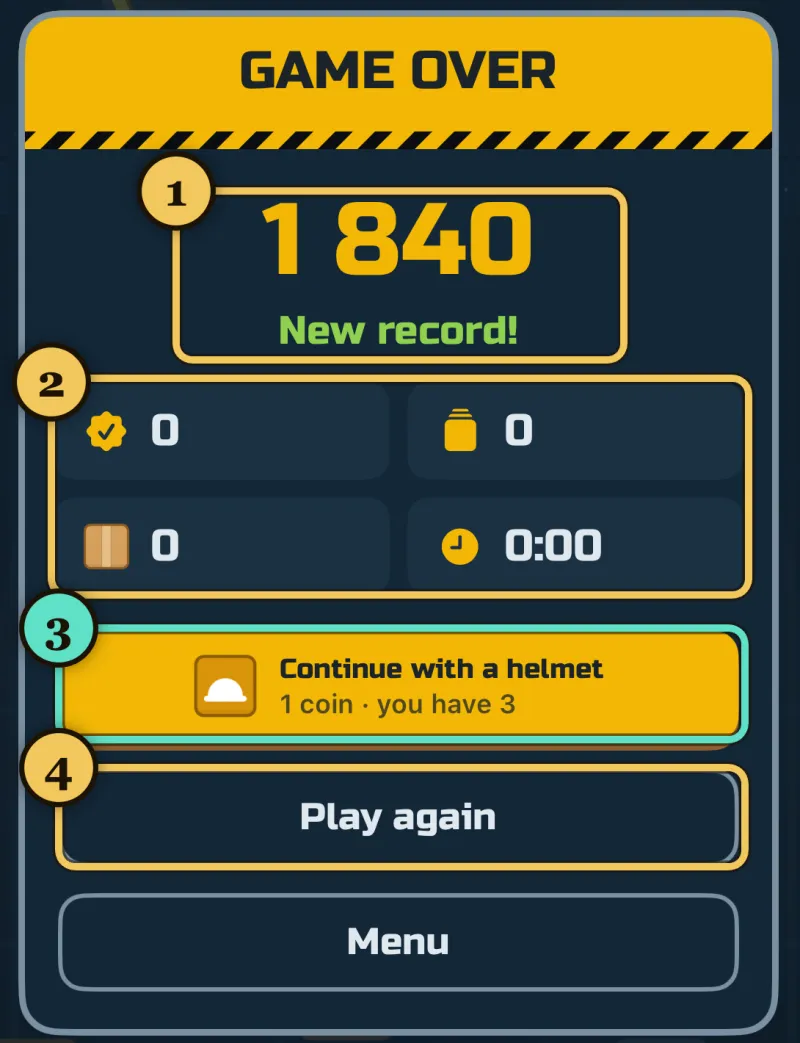
- Your score.
- The totals of the game.
- Continue with a helmet. The note under it says what it costs and how many coins you have.
- Play a new game.
The price
The price is counted in coins and rises with the number of continues you have used in one game:
| Continue number in this game | Coins |
|---|---|
| 1st, 2nd and 3rd | 1 |
| 4th, 5th and 6th | 2 |
| 7th and every one after | 3 |
If you have enough coins, the game spends them. If not, it offers a short ad instead, and watching it is always one continue, whichever number it is. An ad counts towards the next price as well. If you have neither coins nor an ad ready, no offer is made.
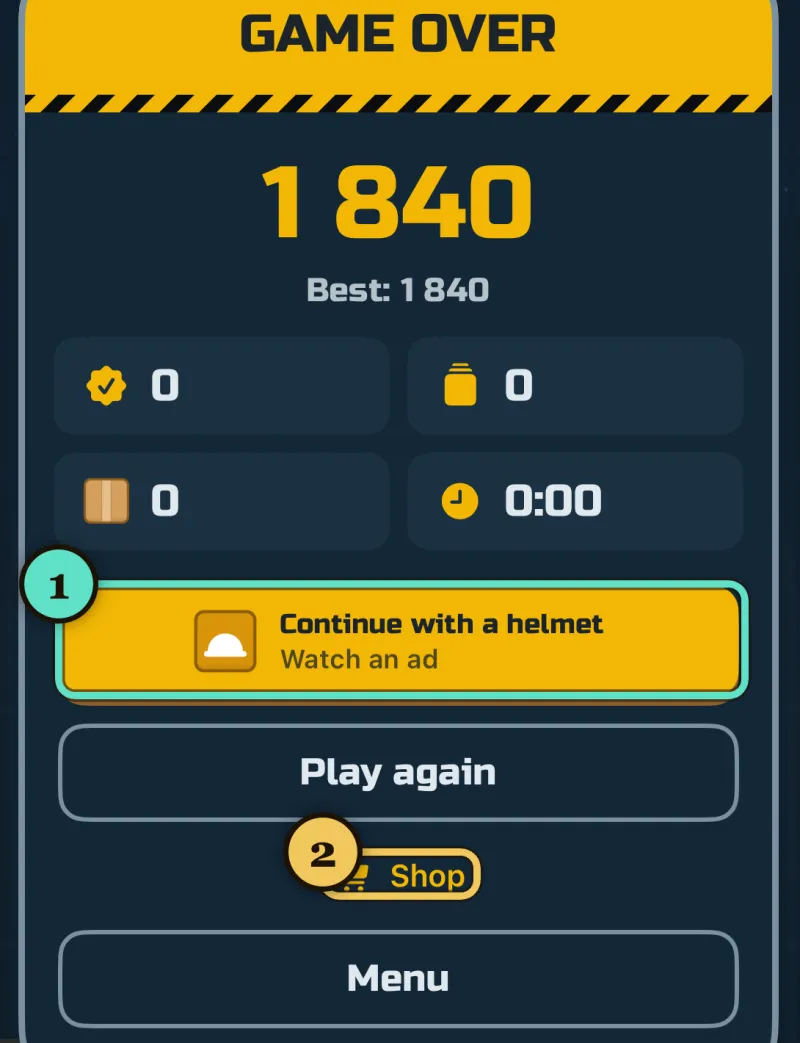
- Continue by watching an ad.
- A shortcut to the shop.
Where coins come from
You do not earn coins by scoring. They come from three places:
- The free coin: watch one ad in the shop and get one coin, once a day.
- The weekly streak coin: one coin for every seven days in a row of the daily challenge.
- Coin packs: optional in-app purchases in the shop, in several sizes. The starter pack also includes some.
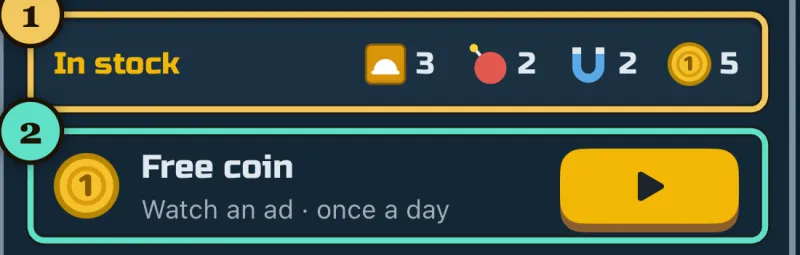
- What you have in stock: helmets, bombs, magnets and coins.
- The free coin: watch an ad, once a day. When it is used, the row says to come back tomorrow.
Supply crates
The shop sells supplies of the three upgrades the crane drops, packed in supply crates, and coins in packs. What a pack contains is shown on its row, so check the shop for what is on offer at the moment. In this version of the game:
| Pack | Contents |
|---|---|
| Supply crate | 3 helmets, 2 bombs, 2 magnets |
| Big supply crate | 10 helmets, 8 bombs, 8 magnets |
| Coin packs | Coins, in a few sizes |
| Starter pack | 5 helmets, 3 bombs, 3 magnets and 5 coins: a one-time offer for new players |
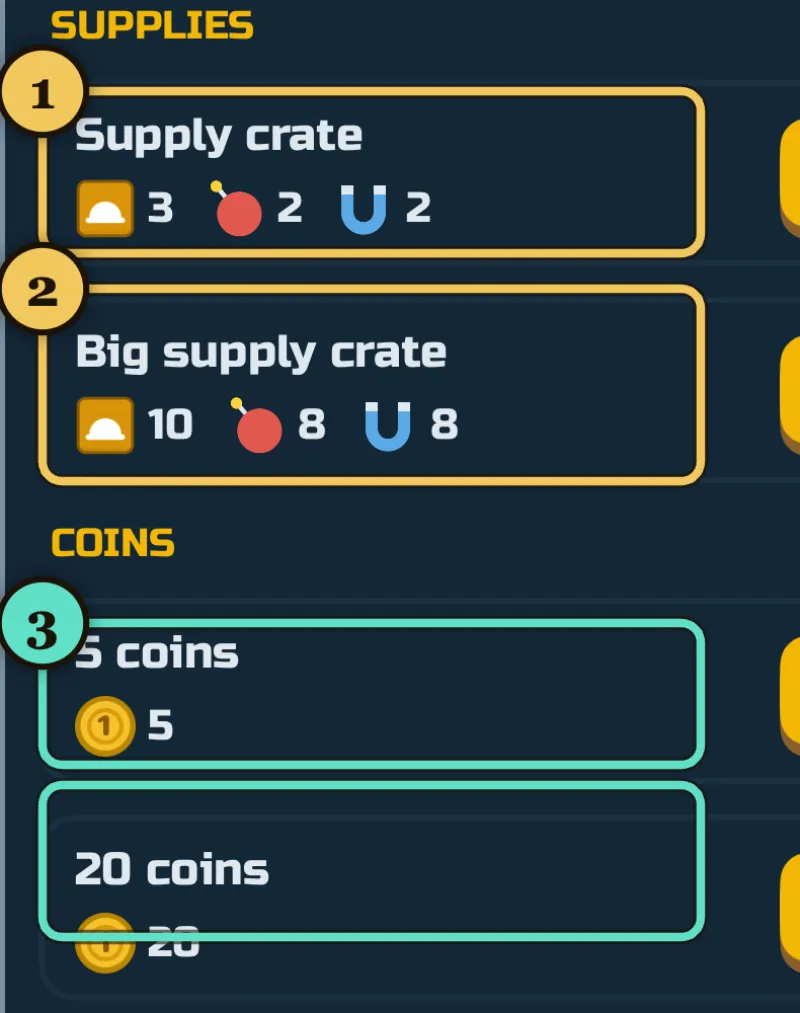
- A supply crate.
- A big supply crate.
- Coin packs.
All of these are optional in-app purchases. Everything in the game can be earned by playing: helmets, bombs and magnets all fall from the crane, and the free coin and the streak give coins without paying. Prices are shown in the shop in your own currency, by your app store, so they are not listed here.
The starter pack
After your second finished game, a one-time window offers the starter pack. If you do not take it, its row stays in the shop for 48 hours, with a countdown, and then it is gone for good.
How stock is used
Bought helmets, bombs and magnets wait in stock until the game runs out of its own. A bomb or a magnet is taken from stock when you press its key and have none from the crane; a helmet from stock goes on by itself when a crate is about to hit you bare-headed. Stock is never used in the daily challenge. Coins are spent only on continuing.
Ads
The game shows only ads that you choose to watch, each for a reward: a continue, the free coin of the day, and the ×2 shift bonus. There are no banners and nothing between games. You can review your ad choices at any time under Ad privacy in the settings.